
.png)




The quarantine functionality keeps suspicious messages out of users' inboxes until they are explicitly released (or deleted). Mail is delivered to the recipient as usual and analyzed immediately afterward (delivery is never delayed or blocked).
Each organization's mail flow configuration determines what happens to emails with a specific each verdict. For example, for emails with the verdict Malicious Intent, the action may be set to Remediate and the remediation folder to Quarantine. If an email is found eligible, our system moves the delivered message out of the user's inbox and into quarantine, which cannot be accessed from the user's email client.
Admins can now see this message on the Platform, under Email Security > Quarantine, as well as in Email history with the status Quarantined.
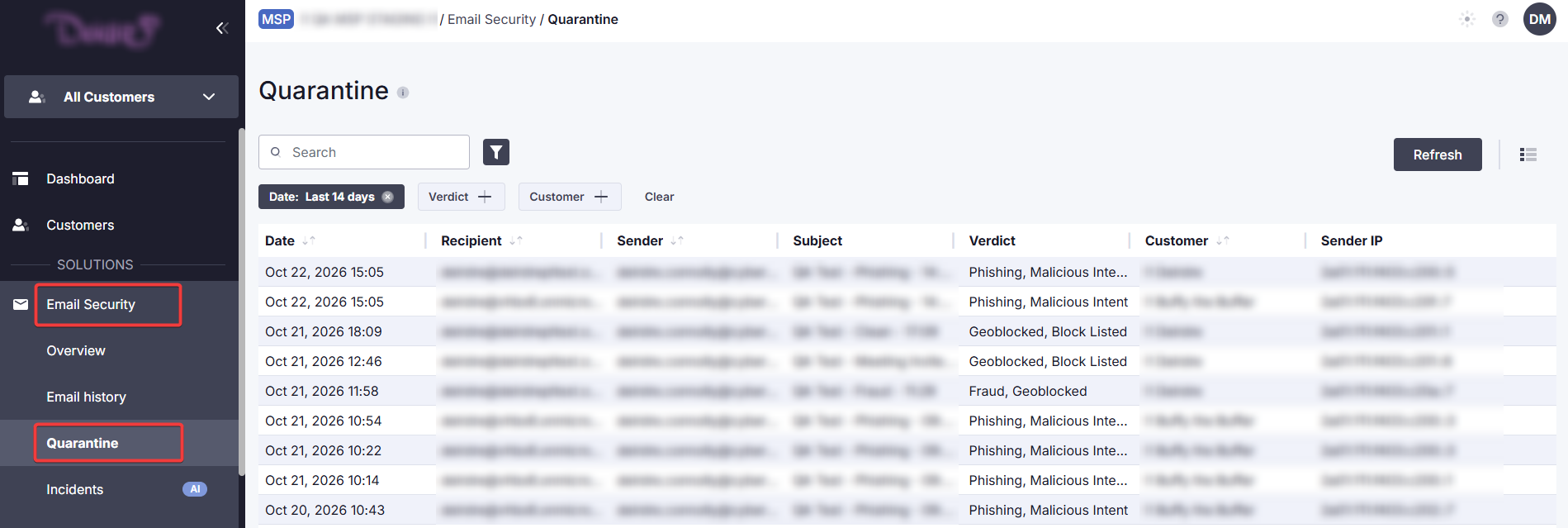
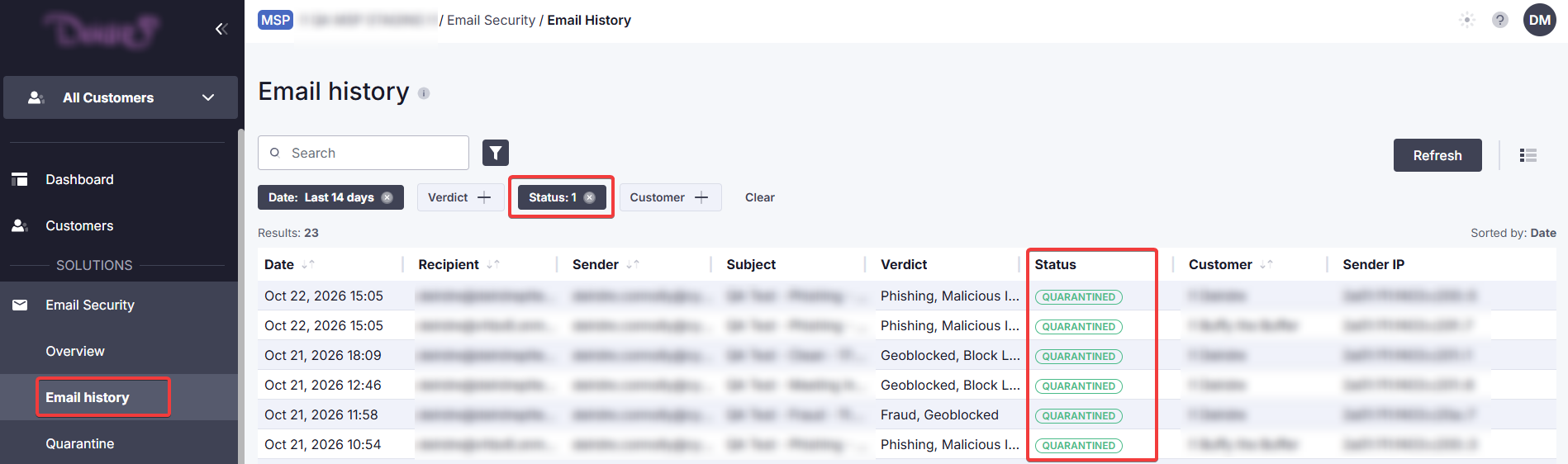
To see only quarantined messages in the history, set the Status filter to Quarantined.
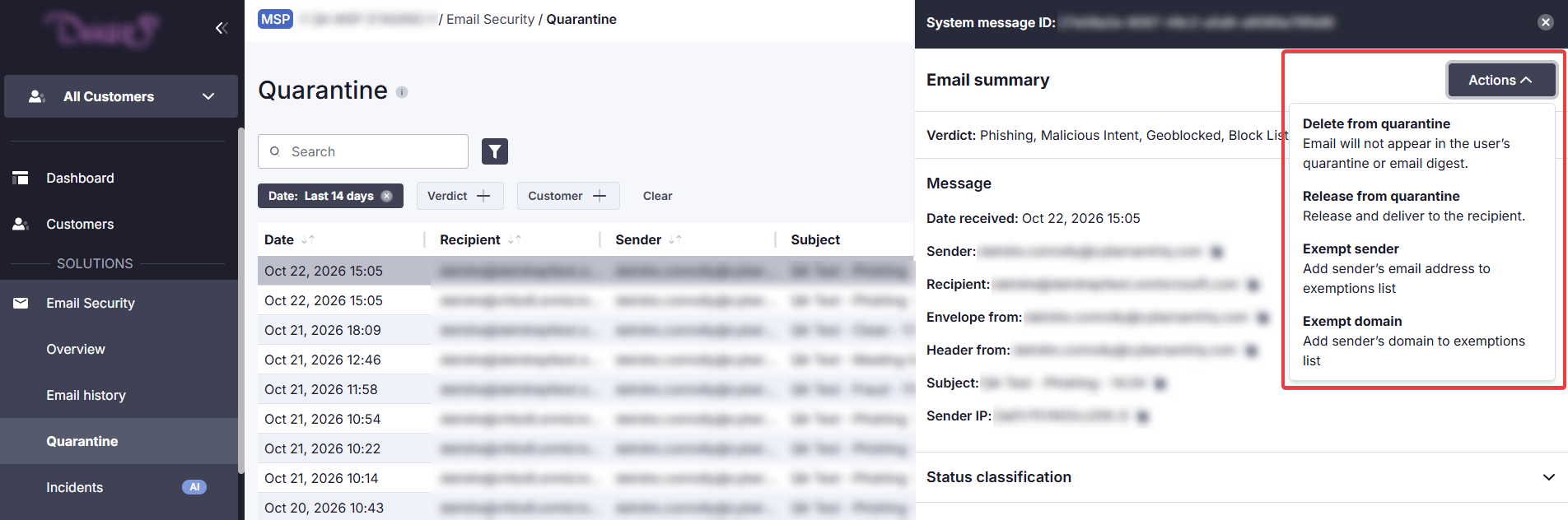
From either Quarantine or Email history, an admin can click on a message and go to Actions to release it from quarantine or delete it. If certain messages are regularly quarantined when they shouldn't be, their sender or domain can be exempted to allow their messages through.
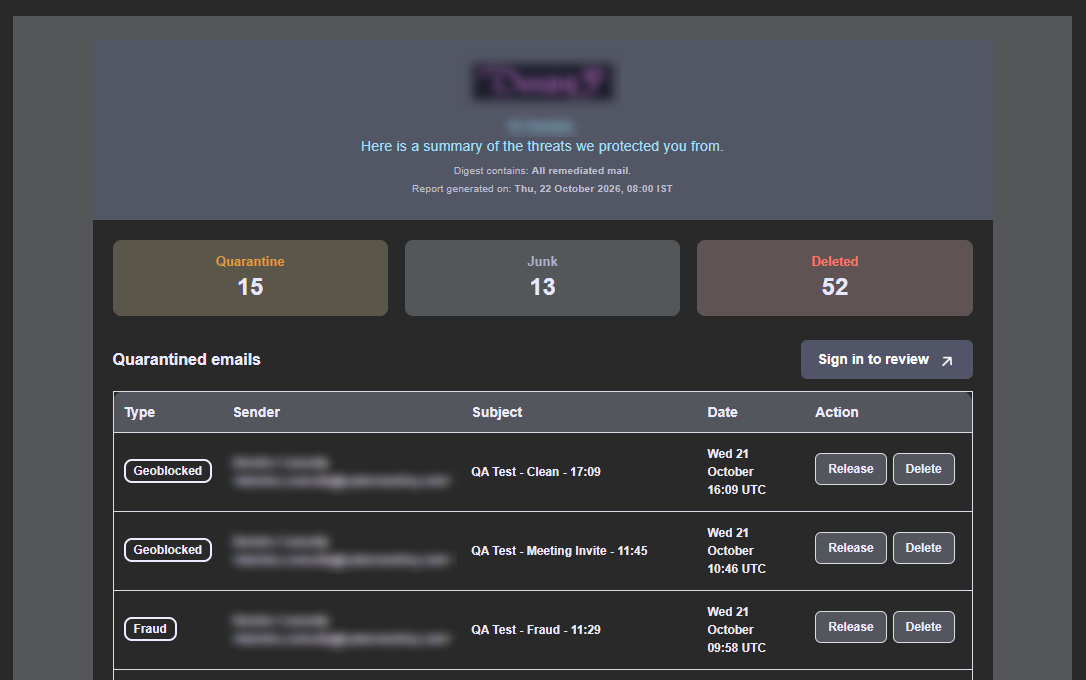
Quarantined messages can also be released or deleted by the end user. End users are notified in the email digest when they have quarantined messages to review.
The same list of quarantined messaged can be accessed by the end user from the end user portal, by going to Quarantine. Here, the user can click on a message and go to Actions to release or delete it.
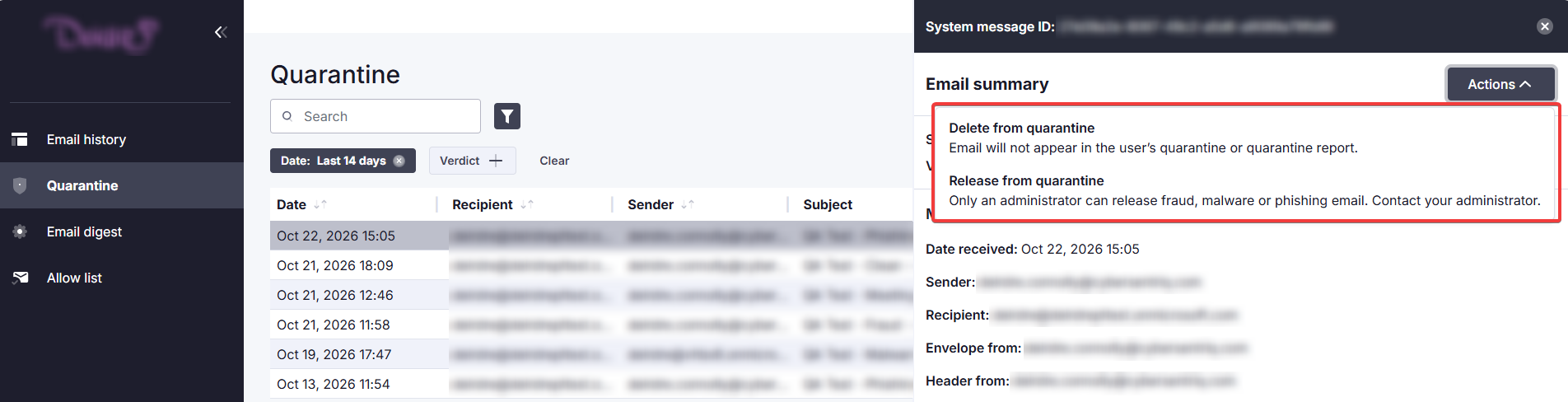
Releasing a message restores it to the user's inbox. By default, quarantined messages are kept for 14 days. After this period, or if the user/admin deletes the message, it can be restored only by an admin from within Microsoft 365 based on the organization's retention settings.
 1.png)